
Everything from the first enquiryto the finished piece.
One hosted system for the office and the workshop floor. Below is what it does today, area by area, and what is coming next, marked as such.
Design
Customer quote requests from your website land in the pipeline.
Design Studio: comingProof
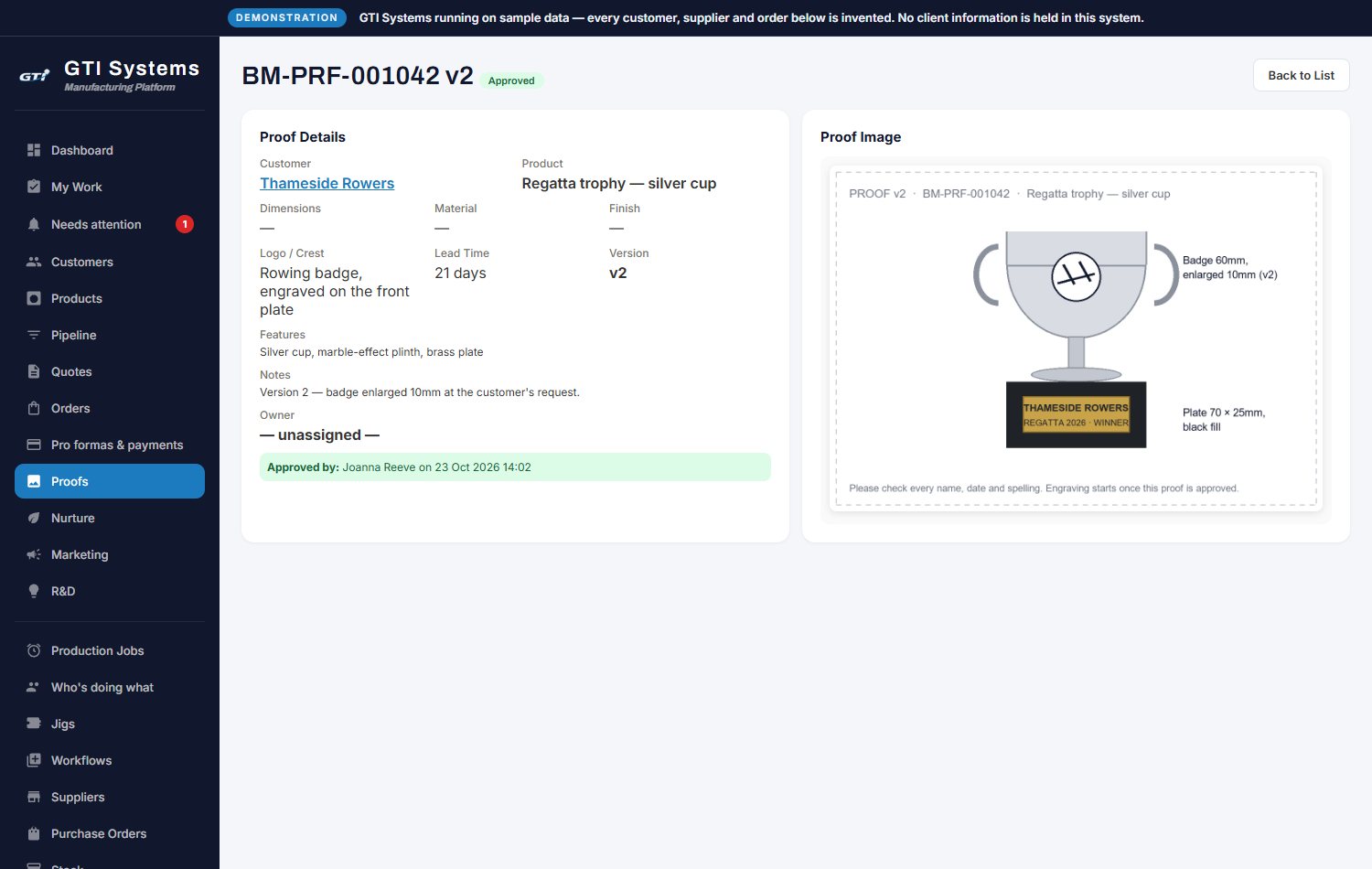
Versioned proofs and recorded approval; production can wait for it.
LiveOrder
Quote to order in one click; each line becomes a job.
LiveMake & check
Tablets at every station; QC checks and photos.
LiveInvoice
Pro formas, payments and printed invoices.
Live Stored invoices: comingWhat you get, area by area.
Everything with a green dot is in GTI Systems today.
Win the work
- Enquiry pipeline by stage, with an owner, a next action and a full history for every lead
- Website sign-ups and quote requests land in the pipeline automatically
- A nurture list for lost or quiet leads, which can be reopened at any time
- "Will it be ready?": the stage-by-stage plan checks a customer's date against real workshop capacity
- Customer records with unlimited contacts, a call and email log, and every sent email filed automatically
- Quotes from your own catalogue, emailed and converted to an order in one click
Prove it and get it signed off
- Proofs with versions; send for approval, or record approval given by phone or email
- Production can be held until the proof is approved
- Job Bag: the quote, order, proofs and files for a job all on one page
Run the workshop
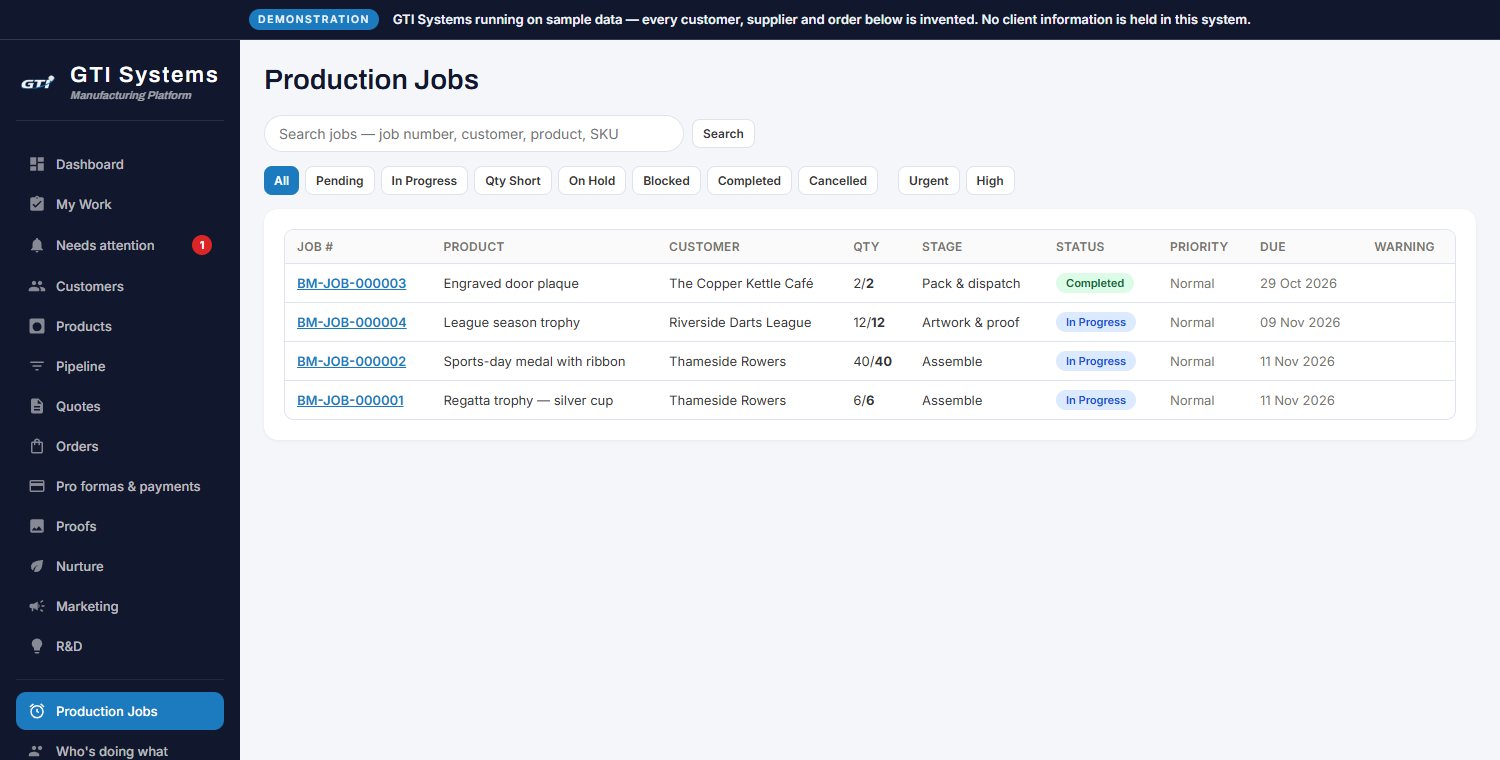
- Every order line becomes a job with its own stage-by-stage workflow
- QC checklist and photo, rework, remake and quantity-short stops, so short work can't slip through
- Curing rack with automatic release, and work sent out to other firms with expected-back dates
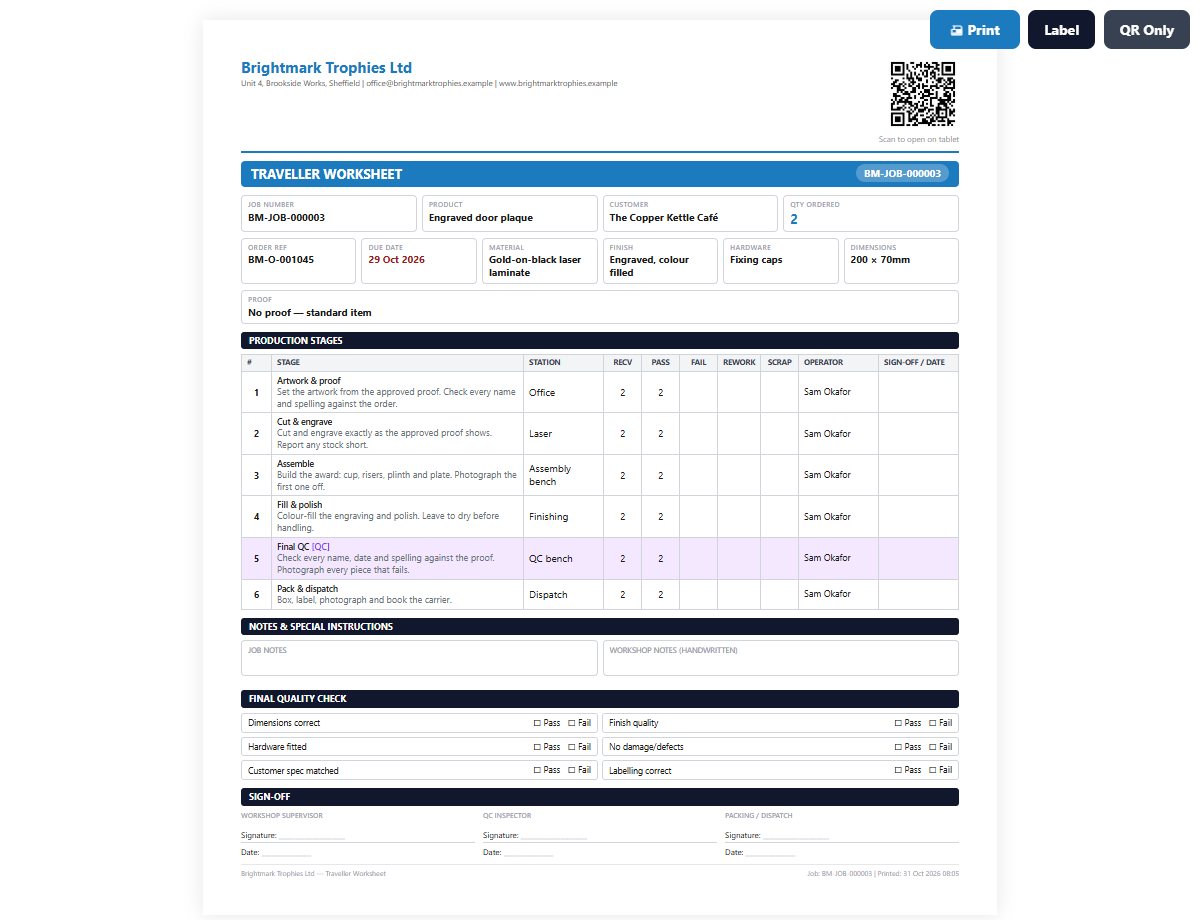
- Printed job pack: traveller, piece checklist, approved proof and QR code
- Jigs register with drawings, stock and condition
Workshop tablets
- Full-screen tablet app with PIN sign-in for operators
- Station work queue, a "what to do now" card, the proof on screen, pause and report a problem
- Scan the QR on the job sheet to open the job
Plan the week
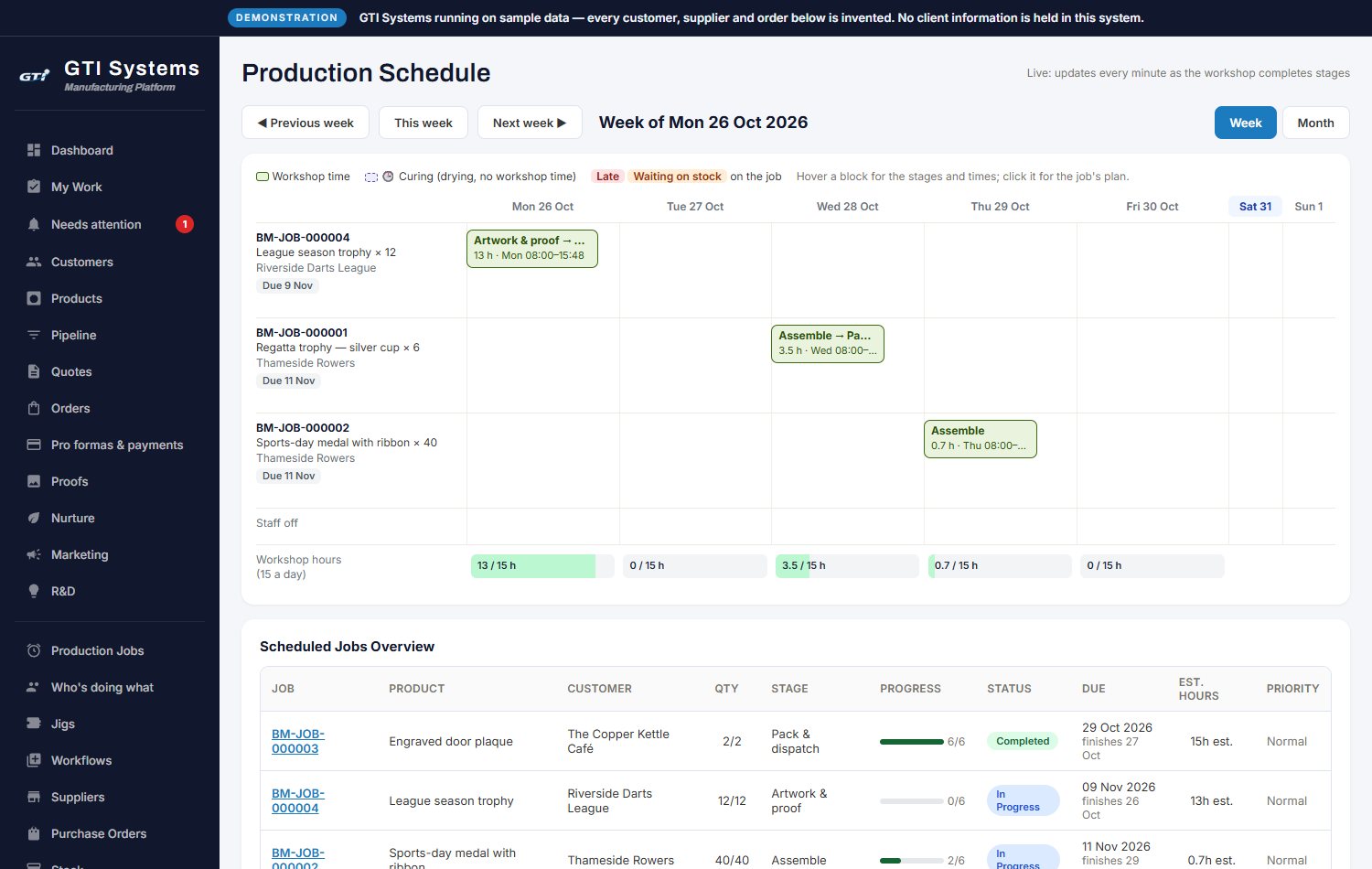
- Week and month production schedule with warnings for staffing gaps, late jobs and stock shortages
- Re-plan one job or everything at once
- "Who's doing what": who is in, and what each person should do now
Stock and buying
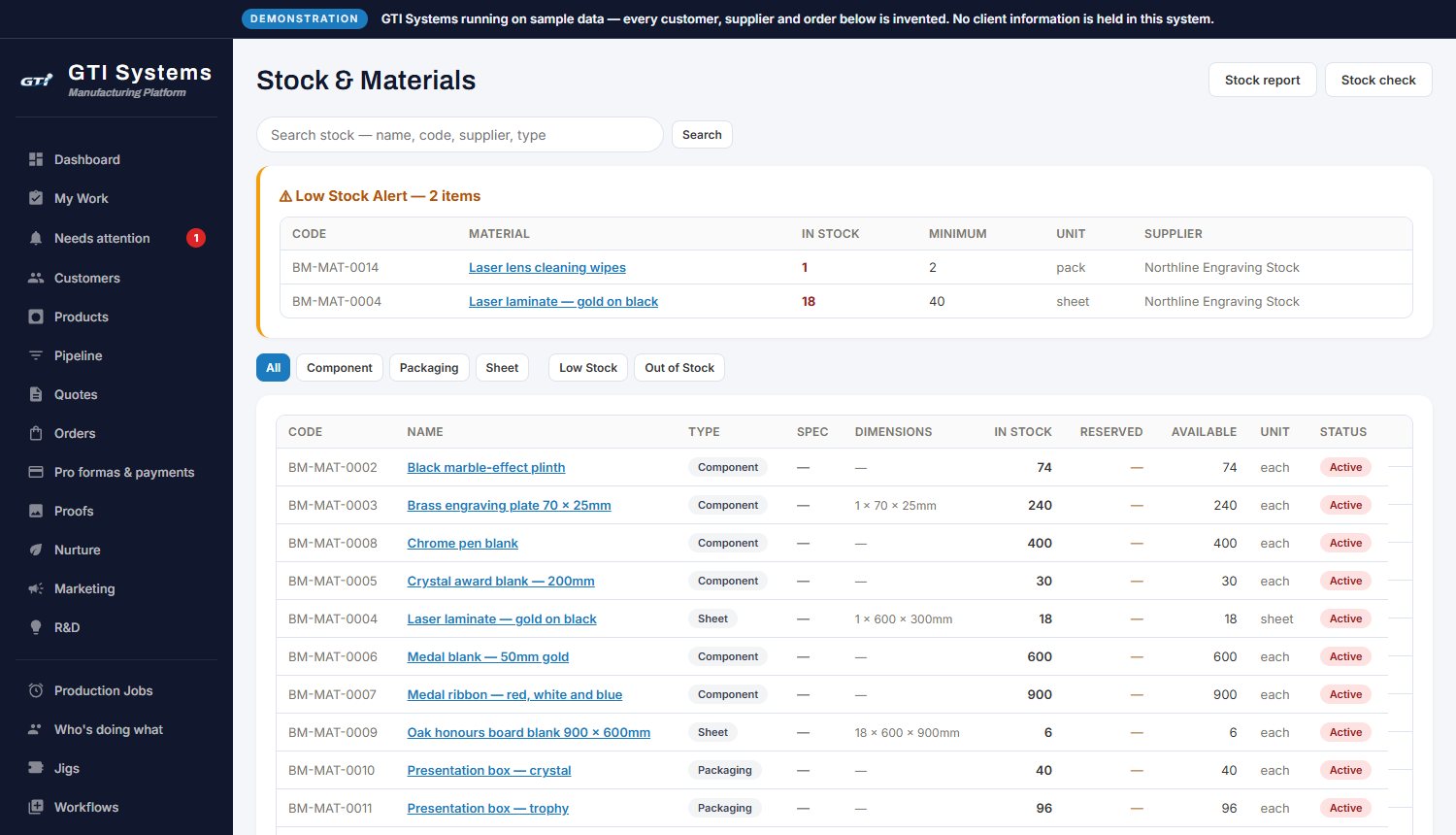
- Stock with movements, minimums, low-stock alerts and stock takes, on screen or from a spreadsheet
- Workshop consumables with automatic low-stock requests
- Purchase orders from draft to approval, email and goods-in, raised straight from an order's shortfall
- Bill of materials per product, with copy, undo and family-wide builds; cost and margin on every product
Money
- Pro formas with chasing; payments recorded with a full correction trail; what's owed and what's received
- Payments spreadsheet for your accountant
- Your company name, VAT, bank details and terms on every document
Customers and marketing
- Email, personal and postal campaigns to your own lists, with open and click tracking, unsubscribe and follow-ups
- Replies and follow-ups feed straight into the sales pipeline
- The "passed final QC" email is drafted for you with photos, ready to send
Your team
- Roles and permissions, stations and main skills per person
- Clock-in kiosk, overtime and leave with approval, and weekly hours
- Team chat and "needs your attention" flags with due dates
Safe and in your control
- Emailed sign-in codes, trusted computers, lockouts and idle sign-out
- Sign one person or everyone out, or stop the system with one switch
- Encrypted full backup of all your data and files, whenever you want it
- Imports for customers, suppliers, products and stock to get you started
Know where you stand
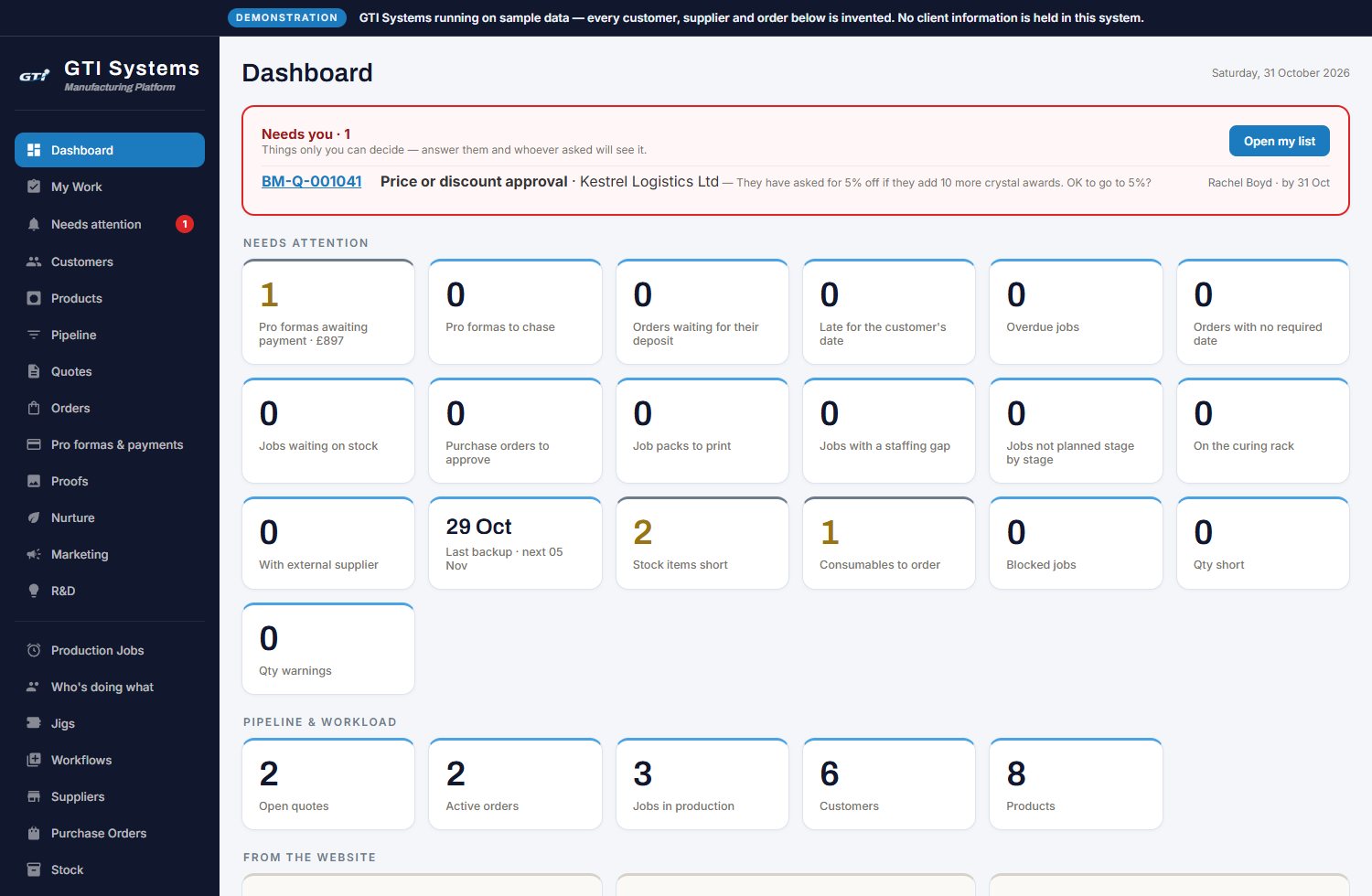
- Dashboard of what needs attention today
- Six reports (stock, valuation, shortages, material usage, scrap, product margin), each as a spreadsheet
- R&D register for new product ideas and who's asking for them
Customer portal Included
- Your clients follow their orders and see where each one is
- They approve proofs and sign documents online, under your name
- You choose what they see, how much detail, and who can approve
Try the portal example →
Built and in final testing; comes with GTI Systems at no extra cost.
Design Studio Included
- Customers place their logo on your product and choose the finish
- A one-page proof with a to-scale drawing in millimetres
- Approved proofs go straight into the job
Try the Design Studio →
Working on this website now, and arriving in GTI Systems at no extra cost.
Also on the way Coming
- Stored, sealed documents: invoices numbered and frozen with a fingerprint, credit notes, and documents for customers to download. In testing.
- Choose your look: the four styles across the whole system.
- Customer emails at each production stage.
- Shipping: commercial invoices, parcels and courier labels.
- Spreadsheet exports for the product and price list, suppliers and staff hours.
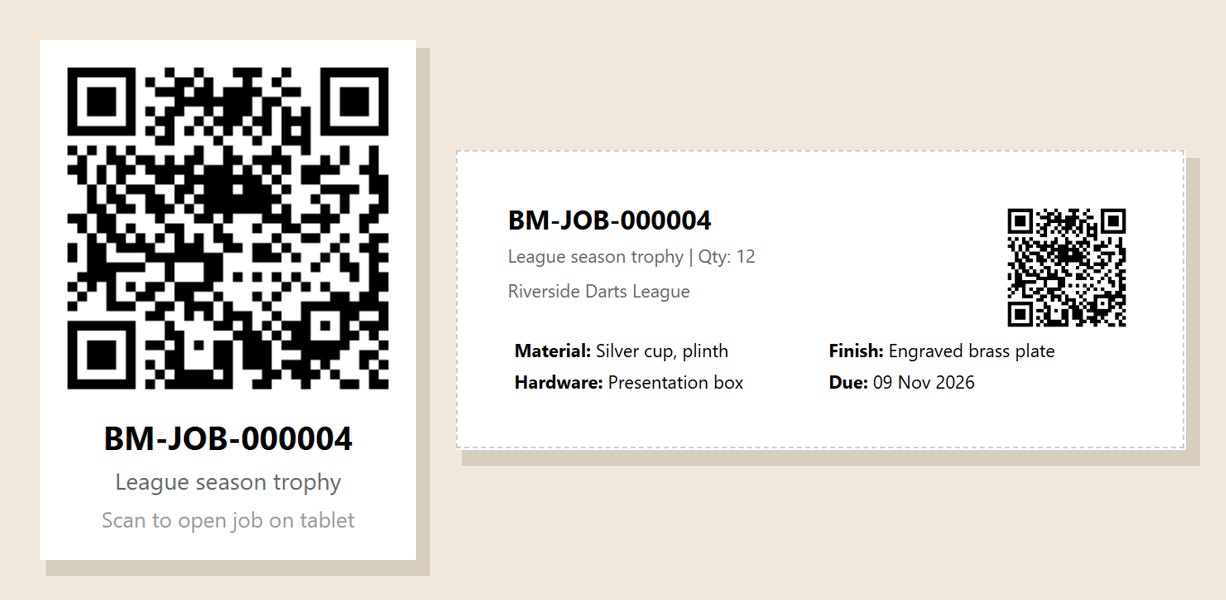
Every job carries its own code, from the first cut to the box.
Each job gets its own QR code, printed on its traveller. Scan it on a workshop tablet at any stage and the job opens: what it is, who it's for, the stage it's at, the approved proof and the quantities so far.
- Printed on the traveller in every job pack
- Print the code on its own, or as a job label with the customer, materials, finish and due date
- Stick it on the box, the tray or the shelf, so parts and stock put aside for a job are easy to find and always lead back to the right job
Live Scanning opens the job on a signed-in workshop tablet.
What it looks like at work.
Screens from the demonstration system, showing its main features.
Go and use it.
Open the demonstration system and sign in with demo@gti-systems.co.uk and ShowMe2026. It is a read-only account: you can look round the screens, but it changes nothing.
One price per business
Ready-made, hosted and kept up to date by us. Tailoring beyond the settings is available as a quoted extra.